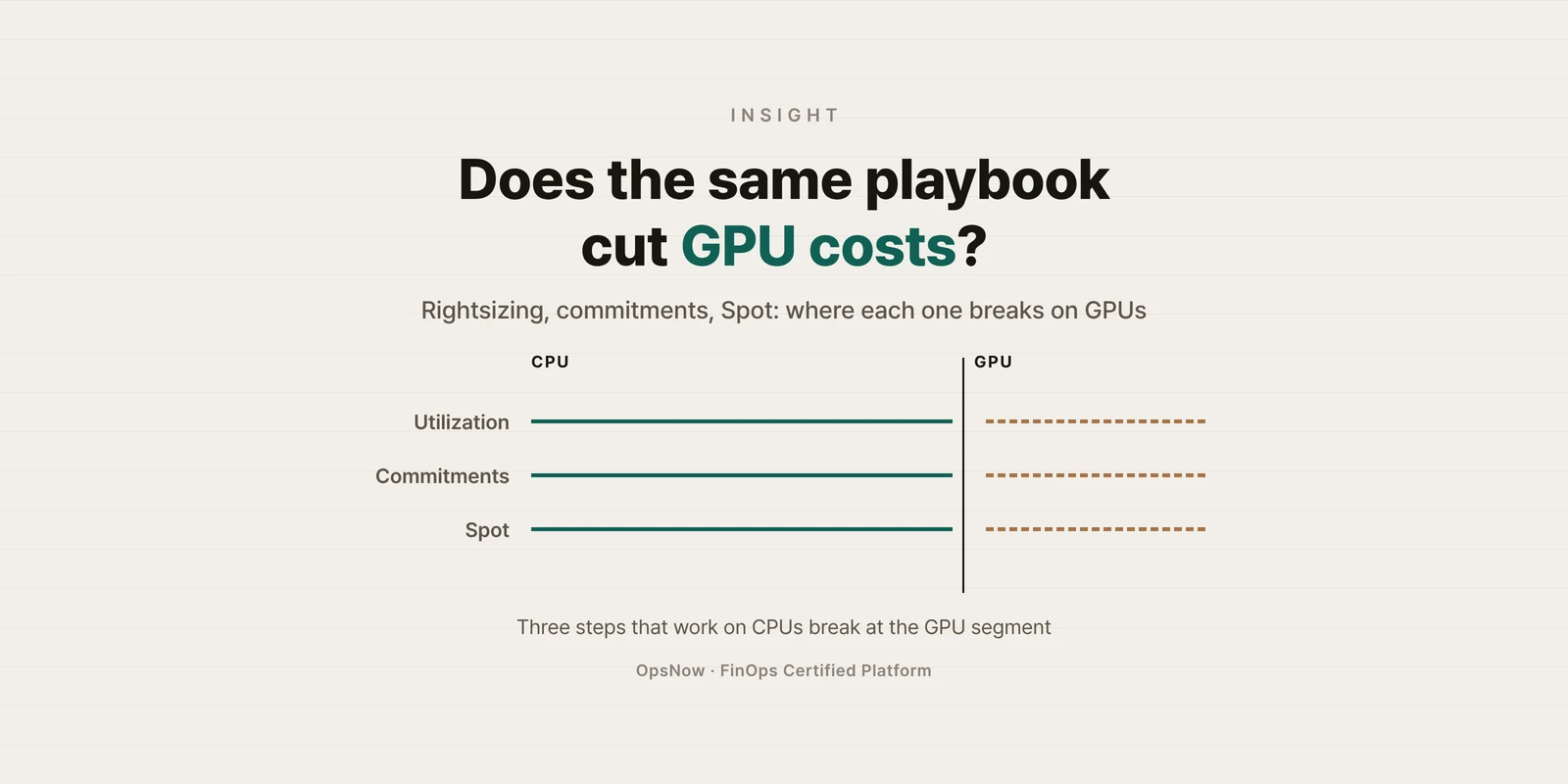
■ Problem: If you apply the usual optimization playbook (rightsize on utilization, commit the baseline, move the rest to Spot) to GPU instances as-is, the decision inputs are wrong from the start.
■ Solution: Collect GPU utilization first, separate the cost of securing capacity from the cost of using it, and pick different levers for training and inference.
■ Result: GPU workload costs that used to be guessed from CPU graphs are judged from GPU metrics and reservation usage.
Monday cost review. GPU instance charges had jumped from the month before, yet the CPU graph on the monitoring dashboard was flat on the floor. Should the team cut back, or had the GPUs been busy the whole time? Nobody in the room could say.
What makes GPU workload cost hard is less the amount than the playbook. The three familiar steps of cloud cost optimization each slip once GPUs are involved.
Rightsizing starts from a utilization metric. According to the AWS CloudWatch documentation, NVIDIA GPU metrics are collected only after you add an nvidia_gpu section to the CloudWatch agent configuration file, and the instance needs an NVIDIA driver installed. In an account without that setup, GPU instances get judged from CPU graphs alone.
Even with the metric on, it reads differently. The same page defines utilization_gpu as "the percentage of time over the past sample period during which one or more kernels on the GPU was running." It measures how long the GPU was busy, not how fully it was used.
For CPU instances, you put Savings Plans on steady usage. With GPUs, holding a spot before you use it is already a cost.
Per the AWS EC2 documentation, Capacity Blocks for ML are charged up front when you make the reservation, and the price depends on supply and demand at the time of purchase. Savings Plans and Reserved Instance discounts don't apply to them. On-Demand Capacity Reservations are charged at the On-Demand rate whether or not you run instances in them, and the unused part shows up on the bill as unused reservation.
A Spot Instance gets an interruption notice two minutes before it is stopped or terminated (AWS EC2 documentation). A short inference request can simply move to another instance. A training job that runs for days is different. Without checkpoints that save intermediate state, the work done so far is lost the moment the instance is reclaimed.
Before the change, when GPU instance charges spike on the month-end bill, someone opens the CPU graph. Reservation charges and usage charges sit on one line, so it is hard to tell where the increase came from.
After the change, GPU metrics are collected alongside, and the same person looks at utilization and unused reservations side by side. The levers split by workload: Spot with checkpoints for training, reservations or commitments for steady inference.

Back to the question from that Monday meeting: the answer starts with turning on one more graph. Whether to cut comes after that.
▶ Talk to OpsNow about your cloud costs
No. According to AWS documentation, GPU metrics are collected after you add an nvidia_gpu section to the CloudWatch agent configuration, and the instance needs an NVIDIA driver installed.
It depends on how you reserve them. AWS documentation states that Savings Plans and Reserved Instance discounts don't apply to Capacity Blocks for ML. Start by checking how your GPU capacity was secured.
It is worth considering if you have checkpoints. Spot gives a two-minute notice before interruption, so a long training job that doesn't save intermediate state loses its progress when the instance is reclaimed.

■ Problem: If you apply the usual optimization playbook (rightsize on utilization, commit the baseline, move the rest to Spot) to GPU instances as-is, the decision inputs are wrong from the start.
■ Solution: Collect GPU utilization first, separate the cost of securing capacity from the cost of using it, and pick different levers for training and inference.
■ Result: GPU workload costs that used to be guessed from CPU graphs are judged from GPU metrics and reservation usage.
Monday cost review. GPU instance charges had jumped from the month before, yet the CPU graph on the monitoring dashboard was flat on the floor. Should the team cut back, or had the GPUs been busy the whole time? Nobody in the room could say.
What makes GPU workload cost hard is less the amount than the playbook. The three familiar steps of cloud cost optimization each slip once GPUs are involved.
Rightsizing starts from a utilization metric. According to the AWS CloudWatch documentation, NVIDIA GPU metrics are collected only after you add an nvidia_gpu section to the CloudWatch agent configuration file, and the instance needs an NVIDIA driver installed. In an account without that setup, GPU instances get judged from CPU graphs alone.
Even with the metric on, it reads differently. The same page defines utilization_gpu as "the percentage of time over the past sample period during which one or more kernels on the GPU was running." It measures how long the GPU was busy, not how fully it was used.
For CPU instances, you put Savings Plans on steady usage. With GPUs, holding a spot before you use it is already a cost.
Per the AWS EC2 documentation, Capacity Blocks for ML are charged up front when you make the reservation, and the price depends on supply and demand at the time of purchase. Savings Plans and Reserved Instance discounts don't apply to them. On-Demand Capacity Reservations are charged at the On-Demand rate whether or not you run instances in them, and the unused part shows up on the bill as unused reservation.
A Spot Instance gets an interruption notice two minutes before it is stopped or terminated (AWS EC2 documentation). A short inference request can simply move to another instance. A training job that runs for days is different. Without checkpoints that save intermediate state, the work done so far is lost the moment the instance is reclaimed.
Before the change, when GPU instance charges spike on the month-end bill, someone opens the CPU graph. Reservation charges and usage charges sit on one line, so it is hard to tell where the increase came from.
After the change, GPU metrics are collected alongside, and the same person looks at utilization and unused reservations side by side. The levers split by workload: Spot with checkpoints for training, reservations or commitments for steady inference.

Back to the question from that Monday meeting: the answer starts with turning on one more graph. Whether to cut comes after that.
▶ Talk to OpsNow about your cloud costs
No. According to AWS documentation, GPU metrics are collected after you add an nvidia_gpu section to the CloudWatch agent configuration, and the instance needs an NVIDIA driver installed.
It depends on how you reserve them. AWS documentation states that Savings Plans and Reserved Instance discounts don't apply to Capacity Blocks for ML. Start by checking how your GPU capacity was secured.
It is worth considering if you have checkpoints. Spot gives a two-minute notice before interruption, so a long training job that doesn't save intermediate state loses its progress when the instance is reclaimed.
■ Problem: If you apply the usual optimization playbook (rightsize on utilization, commit the baseline, move the rest to Spot) to GPU instances as-is, the decision inputs are wrong from the start.
■ Solution: Collect GPU utilization first, separate the cost of securing capacity from the cost of using it, and pick different levers for training and inference.
■ Result: GPU workload costs that used to be guessed from CPU graphs are judged from GPU metrics and reservation usage.
Monday cost review. GPU instance charges had jumped from the month before, yet the CPU graph on the monitoring dashboard was flat on the floor. Should the team cut back, or had the GPUs been busy the whole time? Nobody in the room could say.
What makes GPU workload cost hard is less the amount than the playbook. The three familiar steps of cloud cost optimization each slip once GPUs are involved.
Rightsizing starts from a utilization metric. According to the AWS CloudWatch documentation, NVIDIA GPU metrics are collected only after you add an nvidia_gpu section to the CloudWatch agent configuration file, and the instance needs an NVIDIA driver installed. In an account without that setup, GPU instances get judged from CPU graphs alone.
Even with the metric on, it reads differently. The same page defines utilization_gpu as "the percentage of time over the past sample period during which one or more kernels on the GPU was running." It measures how long the GPU was busy, not how fully it was used.
For CPU instances, you put Savings Plans on steady usage. With GPUs, holding a spot before you use it is already a cost.
Per the AWS EC2 documentation, Capacity Blocks for ML are charged up front when you make the reservation, and the price depends on supply and demand at the time of purchase. Savings Plans and Reserved Instance discounts don't apply to them. On-Demand Capacity Reservations are charged at the On-Demand rate whether or not you run instances in them, and the unused part shows up on the bill as unused reservation.
A Spot Instance gets an interruption notice two minutes before it is stopped or terminated (AWS EC2 documentation). A short inference request can simply move to another instance. A training job that runs for days is different. Without checkpoints that save intermediate state, the work done so far is lost the moment the instance is reclaimed.
Before the change, when GPU instance charges spike on the month-end bill, someone opens the CPU graph. Reservation charges and usage charges sit on one line, so it is hard to tell where the increase came from.
After the change, GPU metrics are collected alongside, and the same person looks at utilization and unused reservations side by side. The levers split by workload: Spot with checkpoints for training, reservations or commitments for steady inference.

Back to the question from that Monday meeting: the answer starts with turning on one more graph. Whether to cut comes after that.
▶ Talk to OpsNow about your cloud costs
No. According to AWS documentation, GPU metrics are collected after you add an nvidia_gpu section to the CloudWatch agent configuration, and the instance needs an NVIDIA driver installed.
It depends on how you reserve them. AWS documentation states that Savings Plans and Reserved Instance discounts don't apply to Capacity Blocks for ML. Start by checking how your GPU capacity was secured.
It is worth considering if you have checkpoints. Spot gives a two-minute notice before interruption, so a long training job that doesn't save intermediate state loses its progress when the instance is reclaimed.


■ Problem: If you apply the usual optimization playbook (rightsize on utilization, commit the baseline, move the rest to Spot) to GPU instances as-is, the decision inputs are wrong from the start.
■ Solution: Collect GPU utilization first, separate the cost of securing capacity from the cost of using it, and pick different levers for training and inference.
■ Result: GPU workload costs that used to be guessed from CPU graphs are judged from GPU metrics and reservation usage.
Monday cost review. GPU instance charges had jumped from the month before, yet the CPU graph on the monitoring dashboard was flat on the floor. Should the team cut back, or had the GPUs been busy the whole time? Nobody in the room could say.
What makes GPU workload cost hard is less the amount than the playbook. The three familiar steps of cloud cost optimization each slip once GPUs are involved.
Rightsizing starts from a utilization metric. According to the AWS CloudWatch documentation, NVIDIA GPU metrics are collected only after you add an nvidia_gpu section to the CloudWatch agent configuration file, and the instance needs an NVIDIA driver installed. In an account without that setup, GPU instances get judged from CPU graphs alone.
Even with the metric on, it reads differently. The same page defines utilization_gpu as "the percentage of time over the past sample period during which one or more kernels on the GPU was running." It measures how long the GPU was busy, not how fully it was used.
For CPU instances, you put Savings Plans on steady usage. With GPUs, holding a spot before you use it is already a cost.
Per the AWS EC2 documentation, Capacity Blocks for ML are charged up front when you make the reservation, and the price depends on supply and demand at the time of purchase. Savings Plans and Reserved Instance discounts don't apply to them. On-Demand Capacity Reservations are charged at the On-Demand rate whether or not you run instances in them, and the unused part shows up on the bill as unused reservation.
A Spot Instance gets an interruption notice two minutes before it is stopped or terminated (AWS EC2 documentation). A short inference request can simply move to another instance. A training job that runs for days is different. Without checkpoints that save intermediate state, the work done so far is lost the moment the instance is reclaimed.
Before the change, when GPU instance charges spike on the month-end bill, someone opens the CPU graph. Reservation charges and usage charges sit on one line, so it is hard to tell where the increase came from.
After the change, GPU metrics are collected alongside, and the same person looks at utilization and unused reservations side by side. The levers split by workload: Spot with checkpoints for training, reservations or commitments for steady inference.

Back to the question from that Monday meeting: the answer starts with turning on one more graph. Whether to cut comes after that.
▶ Talk to OpsNow about your cloud costs
No. According to AWS documentation, GPU metrics are collected after you add an nvidia_gpu section to the CloudWatch agent configuration, and the instance needs an NVIDIA driver installed.
It depends on how you reserve them. AWS documentation states that Savings Plans and Reserved Instance discounts don't apply to Capacity Blocks for ML. Start by checking how your GPU capacity was secured.
It is worth considering if you have checkpoints. Spot gives a two-minute notice before interruption, so a long training job that doesn't save intermediate state loses its progress when the instance is reclaimed.

■ Problem: If you apply the usual optimization playbook (rightsize on utilization, commit the baseline, move the rest to Spot) to GPU instances as-is, the decision inputs are wrong from the start.
■ Solution: Collect GPU utilization first, separate the cost of securing capacity from the cost of using it, and pick different levers for training and inference.
■ Result: GPU workload costs that used to be guessed from CPU graphs are judged from GPU metrics and reservation usage.
Monday cost review. GPU instance charges had jumped from the month before, yet the CPU graph on the monitoring dashboard was flat on the floor. Should the team cut back, or had the GPUs been busy the whole time? Nobody in the room could say.
What makes GPU workload cost hard is less the amount than the playbook. The three familiar steps of cloud cost optimization each slip once GPUs are involved.
Rightsizing starts from a utilization metric. According to the AWS CloudWatch documentation, NVIDIA GPU metrics are collected only after you add an nvidia_gpu section to the CloudWatch agent configuration file, and the instance needs an NVIDIA driver installed. In an account without that setup, GPU instances get judged from CPU graphs alone.
Even with the metric on, it reads differently. The same page defines utilization_gpu as "the percentage of time over the past sample period during which one or more kernels on the GPU was running." It measures how long the GPU was busy, not how fully it was used.
For CPU instances, you put Savings Plans on steady usage. With GPUs, holding a spot before you use it is already a cost.
Per the AWS EC2 documentation, Capacity Blocks for ML are charged up front when you make the reservation, and the price depends on supply and demand at the time of purchase. Savings Plans and Reserved Instance discounts don't apply to them. On-Demand Capacity Reservations are charged at the On-Demand rate whether or not you run instances in them, and the unused part shows up on the bill as unused reservation.
A Spot Instance gets an interruption notice two minutes before it is stopped or terminated (AWS EC2 documentation). A short inference request can simply move to another instance. A training job that runs for days is different. Without checkpoints that save intermediate state, the work done so far is lost the moment the instance is reclaimed.
Before the change, when GPU instance charges spike on the month-end bill, someone opens the CPU graph. Reservation charges and usage charges sit on one line, so it is hard to tell where the increase came from.
After the change, GPU metrics are collected alongside, and the same person looks at utilization and unused reservations side by side. The levers split by workload: Spot with checkpoints for training, reservations or commitments for steady inference.

Back to the question from that Monday meeting: the answer starts with turning on one more graph. Whether to cut comes after that.
▶ Talk to OpsNow about your cloud costs
No. According to AWS documentation, GPU metrics are collected after you add an nvidia_gpu section to the CloudWatch agent configuration, and the instance needs an NVIDIA driver installed.
It depends on how you reserve them. AWS documentation states that Savings Plans and Reserved Instance discounts don't apply to Capacity Blocks for ML. Start by checking how your GPU capacity was secured.
It is worth considering if you have checkpoints. Spot gives a two-minute notice before interruption, so a long training job that doesn't save intermediate state loses its progress when the instance is reclaimed.

■ Problem: If you apply the usual optimization playbook (rightsize on utilization, commit the baseline, move the rest to Spot) to GPU instances as-is, the decision inputs are wrong from the start.
■ Solution: Collect GPU utilization first, separate the cost of securing capacity from the cost of using it, and pick different levers for training and inference.
■ Result: GPU workload costs that used to be guessed from CPU graphs are judged from GPU metrics and reservation usage.
Monday cost review. GPU instance charges had jumped from the month before, yet the CPU graph on the monitoring dashboard was flat on the floor. Should the team cut back, or had the GPUs been busy the whole time? Nobody in the room could say.
What makes GPU workload cost hard is less the amount than the playbook. The three familiar steps of cloud cost optimization each slip once GPUs are involved.
Rightsizing starts from a utilization metric. According to the AWS CloudWatch documentation, NVIDIA GPU metrics are collected only after you add an nvidia_gpu section to the CloudWatch agent configuration file, and the instance needs an NVIDIA driver installed. In an account without that setup, GPU instances get judged from CPU graphs alone.
Even with the metric on, it reads differently. The same page defines utilization_gpu as "the percentage of time over the past sample period during which one or more kernels on the GPU was running." It measures how long the GPU was busy, not how fully it was used.
For CPU instances, you put Savings Plans on steady usage. With GPUs, holding a spot before you use it is already a cost.
Per the AWS EC2 documentation, Capacity Blocks for ML are charged up front when you make the reservation, and the price depends on supply and demand at the time of purchase. Savings Plans and Reserved Instance discounts don't apply to them. On-Demand Capacity Reservations are charged at the On-Demand rate whether or not you run instances in them, and the unused part shows up on the bill as unused reservation.
A Spot Instance gets an interruption notice two minutes before it is stopped or terminated (AWS EC2 documentation). A short inference request can simply move to another instance. A training job that runs for days is different. Without checkpoints that save intermediate state, the work done so far is lost the moment the instance is reclaimed.
Before the change, when GPU instance charges spike on the month-end bill, someone opens the CPU graph. Reservation charges and usage charges sit on one line, so it is hard to tell where the increase came from.
After the change, GPU metrics are collected alongside, and the same person looks at utilization and unused reservations side by side. The levers split by workload: Spot with checkpoints for training, reservations or commitments for steady inference.

Back to the question from that Monday meeting: the answer starts with turning on one more graph. Whether to cut comes after that.
▶ Talk to OpsNow about your cloud costs
No. According to AWS documentation, GPU metrics are collected after you add an nvidia_gpu section to the CloudWatch agent configuration, and the instance needs an NVIDIA driver installed.
It depends on how you reserve them. AWS documentation states that Savings Plans and Reserved Instance discounts don't apply to Capacity Blocks for ML. Start by checking how your GPU capacity was secured.
It is worth considering if you have checkpoints. Spot gives a two-minute notice before interruption, so a long training job that doesn't save intermediate state loses its progress when the instance is reclaimed.